GUI Themes aka Skins
It is possible to change the appearance of the graphical interface to some extent. The layout of the interface elements is fixed, but it is possible to change the colors and graphics of some elements so that a different "theme" or "skin" is obtained.
There are two factory installed skins, Dark and Light, which are also used as a base for user-defined skins.
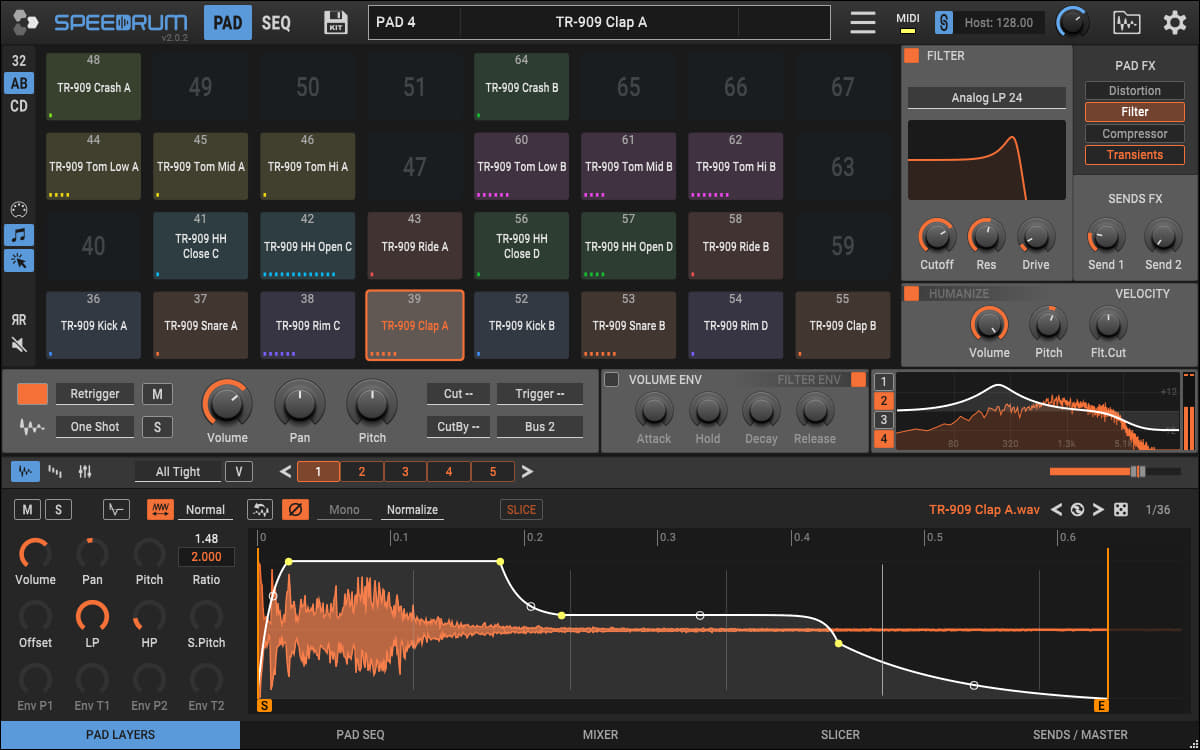
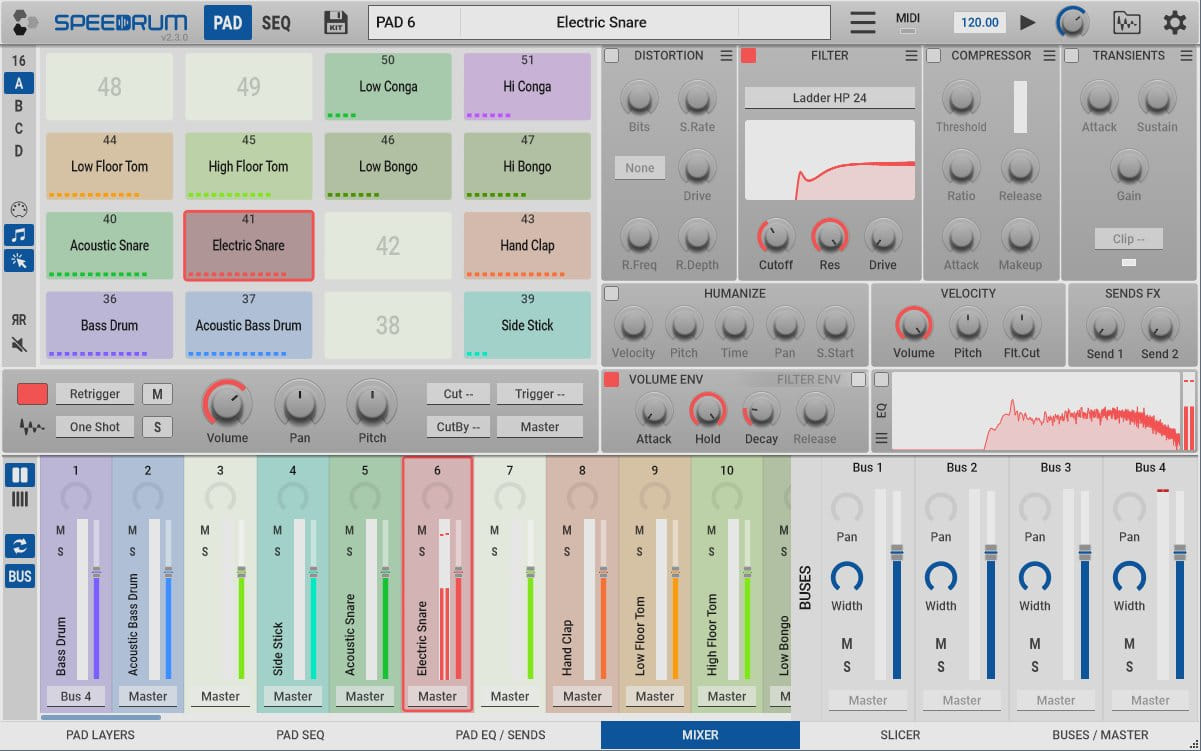
Skin can be selected from the main menu, where all skins located in the "skins folder" will be displayed. "Skins folder" is a folder on the hard disk where user skins are saved, and it can also be opened from the main menu under Skin.
The user skin consists of a folder (preferably the same name as the skin) in which there is the "skin-name.speedskin" file and all associated images in png format. Currently in version 2.2.0 it is possible to change the image of Pad (main) knob and Global Volume knob.
The .speedskin file is the heart of the skin, where all the definitions are located (which is basically a standard XML file, so it can be opened and edited in any text editor).
The user skin is based on one of two factory skins, which is defined by "lightTheme" which can be 0 (indicates Dark skin) or 1 (indicates Light skin). In this way, it is possible to change only certain colors/images without worrying about the others.
Skin elements:
theme base properties (0 = Dark, 1 = Light, sets the base for the skin)
- lightTheme="0"
flat look property (setting the value to 1 will disable shadows and button images, so the gui will be completely flat)
- flat="1"
- flatKnob="0"
knob graphic (setting the value to 0 will hide the associated graphic, these properties are ignored if flat = 1)
- knobNeedle="0"
- knobArc="1"
meter graphic style 0 = flat, 1 = bars
- meterStyle="0"
misc graphic
- comboBoxLine="1"
- headerInfoRect="1"
images png format, images must be in the same folder as the .speedskin file, it is best if each skin has a separate folder, (if the image file does not exist, it will fall back to the theme's base image). Strip images, if they exist, will be used first. If they do not exist, static images will be used instead. In case they do not exist either, it will fall back to the theme's base image. Static knob image MUST be 128x128 pixels, while image strip MUST be vertical with 65 frames, 128x8320 pixels (height = 65 *128). In the case of strip images, the strip for the bidirectional knob (pan, pitch, etc) is separate image. If the dimensions are not appropriate, the image will be ignored. You can name the image file whatever you want, just make sure that the value in quotes matches the name of the image file used for that property.
- knobMainImage="knobMain.png"
- knobMainStrip="knobMainStrip.png"
- knobMainStripBid="knobMainStripBid.png"
- knobSectionImage="knobSection.png"
- knobSectionStrip="knobSectionStrip.png"
- knobSectionStripBid="knobSectionStripBid.png"
- knobGlobalVolImage="knobGlobalVol.png"
To hide the knob itself, you need to create a completely transparent knob image.
colors The values in quotes are colors in RGB Hex format (RRGGBB) (https://htmlcolorcodes.com/). If the color is omitted, it will fall back to theme's base color.
- mainBackground="1a1a1a"
- headerBackground="1d1a16"
- headerInfoBackground="1a1a1a"
- barBackground="373737"
- padsBackground="1a1a1a"
- sectionBackground="5b5b5b"
- sectionAltBackground="5b5b5b"
- lcdBackground="1a1a1a"
- mainText="e6e6e6"
- mainColor="63aaf1"
- padUsedColor="333333"
- padEmptyColor="1d1d1d"
- muteColor="d94444"
- soloColor="ffff64"
- seMarkerColor="ff8c00"
- msegDotColor="ffff64"
- msegColor="e6e6e6"
- eqResponeColor="e6e6e6"
- playHeadColor="ff8c00"
- recButtonColor="d94444"
- midiLedColor="ffff64"
- spectrumColor="63aaf1"
- waveformColor="63aaf1"
- meterColor="63aaf1"
- meterClipColor="d94444"
- meterReductionColor="d94444"
- knobNeedleColor="e6e6e6"
- altKnobArcColor="e6e6e6"
An example skin with the base set to Light and only the main color changed:
<SpeedrumSkin lightTheme="1"
	mainColor="0e549a"
/>
An example of a skin with the base set to Dark and with slightly more changed colors and changed images of the knobs, with the use of static knobMain.png and knobGlobalVol.png image files in the same folder as the .speedskin file:
<SpeedrumSkin lightTheme="0"
    knobMainImage="knobMain.png"
    knobGlobalVolImage="knobGlobalVol.png"
    mainBackground="1d1a16"
    headerBackground="1d1a16"
    padsBackground="262520"
    sectionBackground="665e53"
    lcdBackground="181512"
    mainColor="fdb953"
    padEmptyColor="1d1d1d"
    seMarkerColor="fc9c0c"
    playHeadColor="fc9c0c"
/>
There are skins available for download at https://www.apisonic-audio.com/content.html "factory skins", which can serve as a template, especially factory dark and light because they contain all the properties.
